

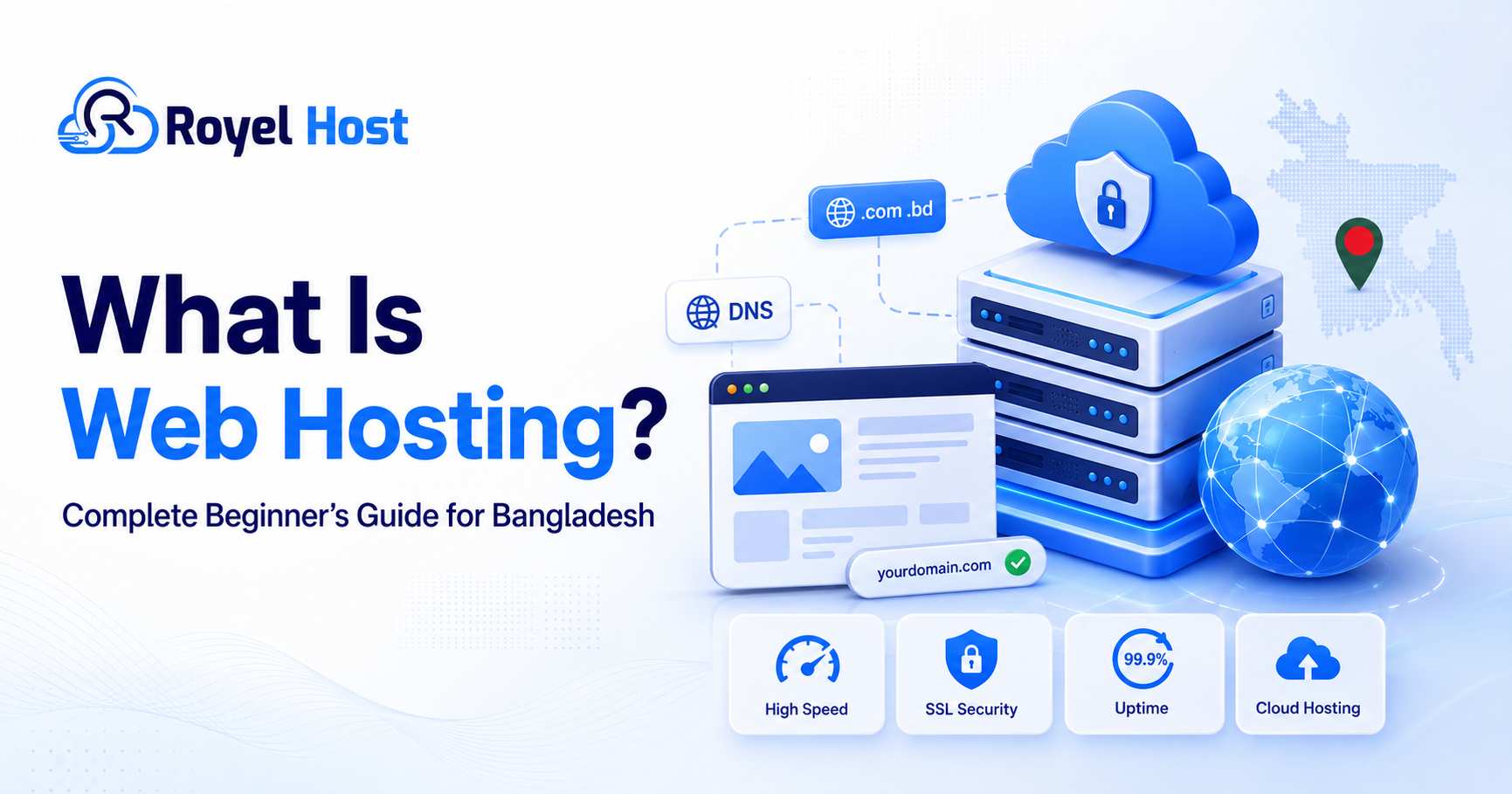
Launching a website can feel confusing when you are unfamiliar with terms such as hosting, domain name, DNS, SSL, cPanel, bandwidth, storage, server, database, and uptime. However, the basic idea is much simpler than it appears.
Every website needs a place where its files, images, text, databases, emails, and applications can remain stored and available online. That online storage and server service is called web hosting.
Choosing the right Web Hosting Bangladesh service is especially important when your business or website mainly serves visitors from Bangladesh. Website speed, server location, network quality, technical support, security, payment methods, backup facilities, and upgrade options can all affect your website’s performance.
This complete beginner’s guide explains what web hosting is, how hosting works, the different types of hosting, important features, common mistakes, practical use cases, and how to choose the best hosting service for your website.
Before purchasing hosting, you will also need a suitable website address. You can search for and secure your preferred name through RoyelHost’s domain registration service in Bangladesh.
What Is Web Hosting Bangladesh?
Web hosting is a service that stores the files and data of a website on an internet-connected server. When someone enters your domain name into a web browser, the hosting server sends the necessary files to that visitor’s computer or mobile device.
The stored data may include:
Website pages
Images and videos
HTML, CSS, and JavaScript files
WordPress files
Product information
Customer accounts
Databases
Business emails
Contact form submissions
Application files
Backup files
A hosting server is a powerful computer designed to stay connected to the internet for long periods. Unlike a normal personal computer, a server is configured to receive website requests, process data, run applications, protect files, and serve multiple visitors simultaneously.
A simple way to understand web hosting is to compare it with a physical shop.
Your domain name is the shop address. Web hosting is the land or building where the shop exists. Your website files, images, pages, products, and content are the items placed inside the shop.
For example:
Domain name:
yourcompany.comWeb hosting: The server where your website is stored
Website: The pages and information visitors see
DNS: The system connecting the domain to the server
SSL: The security system that enables HTTPS
Without a domain, visitors may not have an easy address for finding your website. Without hosting, the domain will not have a complete website to display.
How Does Web Hosting Work?
Web hosting works through several connected technologies, but beginners do not need to manage every technical detail.
The process normally works as follows.
Step 1: You Register a Domain Name
A domain name gives your website a unique online address. Visitors can type this address into a browser to find your website.
For example:
yourbusiness.com
The domain should be short, memorable, easy to spell, and relevant to your business or project.
Step 2: You Purchase a Hosting Plan
A hosting company provides server space, storage, bandwidth, databases, email facilities, security tools, and a control panel.
The resources you receive depend on your selected hosting package.
A small personal blog may require only basic shared hosting. A high-traffic ecommerce store or application may require VPS or dedicated server resources.
Step 3: You Connect the Domain to Hosting
The domain and hosting are connected through nameservers or DNS records.
DNS works like an internet directory. It tells the visitor’s browser which server should be contacted when someone enters your domain name.
Step 4: You Build or Upload the Website
You can create the website using:
WordPress
WooCommerce
Laravel
PHP
HTML and CSS
A website builder
Another content management system
A custom web application
Many beginners use WordPress because it allows them to manage pages, blog posts, menus, themes, and plugins through a visual dashboard.
Step 5: Visitors Open the Website
When a visitor enters the domain name, the browser requests the website files from the hosting server.
The server processes the request, finds the required content, and sends it to the visitor’s device.
When the hosting server and website are properly optimized, this entire process can happen very quickly.
A Practical Web Hosting Example
Suppose you own an online clothing business in Dhaka.
You register the domain myfashionstore.com and purchase a hosting plan. After that, you install WordPress and WooCommerce.
Your hosting account stores:
Product images
Product descriptions
Prices
Customer accounts
Order information
Website design files
Payment gateway settings
Business email accounts
Website database
When a customer from Chattogram enters your domain, the hosting server receives the request and sends your store’s content to the customer’s browser.
The customer can then browse products, place an order, submit information, and contact your business.
Without hosting, the domain may be registered, but customers will not see a functional online store.
Domain Name vs Web Hosting
A domain name and web hosting are connected, but they are not the same service.
| Domain Name | Web Hosting |
|---|---|
| The address of your website | The server where your website is stored |
Example: yourbrand.com | Stores pages, images, databases, and emails |
| Registered through a domain registrar | Purchased from a hosting provider |
| Points visitors toward the server | Sends website content to visitors |
| Usually renewed yearly | Can be billed monthly or yearly |
| Can exist without a full website | Can support one or multiple domains |
Buying only a domain name does not automatically create a website. You must connect the domain to a hosting account and then build or upload your website.
You can purchase the domain and hosting from the same provider or use separate companies. Purchasing both from the same company may make billing, DNS configuration, and support easier for beginners.
Whichever option you choose, make sure the domain is registered under your own information and that you can access its management panel.
Why Does Web Hosting Matter?
Web hosting affects almost every part of your website experience.
A well-designed website may still perform poorly if it is hosted on a slow, overloaded, insecure, or frequently unavailable server.
Website Availability
Your hosting server must remain online so visitors can access your website.
Frequent downtime may result in:
Lost visitors
Missed sales
Interrupted orders
Failed contact form submissions
Poor customer experience
Reduced business credibility
No hosting service can promise that hardware or network problems will never occur. However, a reliable provider should use proper monitoring, security, backup, and maintenance procedures.
Website Speed
Hosting resources affect:
Server response time
Database processing
File delivery
PHP performance
Concurrent visitor handling
WordPress dashboard speed
Ecommerce checkout speed
Hosting is not the only factor that controls website speed. Large images, poorly coded themes, excessive plugins, external scripts, and unoptimized databases can also slow down a website.
However, weak hosting can make even a properly optimized website feel slow.
Website Security
A hosting provider may offer security features such as:
SSL certificates
Malware scanning
Server monitoring
DDoS protection
Firewall protection
Account isolation
Secure backups
Login protection
Website owners must also play an active role by using strong passwords, updating software, removing unused plugins, and keeping independent backups.
Search Engine Optimization
Hosting does not automatically rank a website on Google. However, hosting can influence several technical and user-experience factors connected with SEO.
These include:
Page loading speed
Website availability
HTTPS security
Mobile performance
Server response time
User experience
Crawling accessibility
A website that is regularly unavailable or extremely slow may be more difficult for visitors and search engine crawlers to use.
Customer Trust
Visitors may lose confidence when a company website is slow, unavailable, or displays security warnings.
Reliable hosting helps your business maintain a stable and professional online presence.
Main Benefits of Reliable Web Hosting
Choosing suitable hosting can provide several practical benefits.
1. Your Website Remains Available Online
Hosting makes your website accessible through the internet.
Customers can visit your website to:
Read information
View products
Contact your business
Submit forms
Place orders
Access an account
Download resources
Read blog posts
This is important for businesses that want to remain accessible outside normal office hours.
2. You Can Use a Professional Domain
A custom domain creates a stronger online identity than a free subdomain.
For example:
yourcompany.com
looks more professional than:
yourcompany.freewebsiteexample.com
A custom domain can support branding, marketing, customer trust, and search visibility.
3. You Can Create Branded Email Addresses
Many hosting services allow you to create email addresses using your domain.
For example:
info@yourcompany.comsales@yourcompany.comsupport@yourcompany.comaccounts@yourcompany.com
A domain-based email address can make business communication appear more professional.
Businesses that require dedicated branded mailboxes can explore RoyelHost’s professional email service.
4. You Receive Website Management Tools
Most beginner-friendly hosting packages include a control panel.
Depending on the package, you may be able to manage:
Website files
Databases
Domains
Subdomains
Email accounts
SSL certificates
Backups
PHP versions
DNS records
Resource usage
Application installation
A visual control panel reduces the need to use complex server commands.
5. You Can Install WordPress Easily
Many hosting packages include a one-click application installer.
This allows beginners to install WordPress without manually creating databases or uploading all the software files.
After installation, you can log in to the WordPress dashboard and begin creating your website.
6. You Can Upgrade as the Website Grows
A new website may start with a small shared hosting package.
As traffic, products, customers, or application requirements increase, the website can move to:
A larger shared hosting plan
WordPress hosting
BDIX hosting
VPS hosting
A dedicated server
A good web hosting company in Bangladesh should provide clear upgrade options.
7. Technical Support Is Available
Hosting support may assist with:
Hosting account activation
DNS configuration
SSL installation
Email setup
Website migration
Control panel access
Server-related errors
Resource limit questions
Hosting support does not always include custom web development or plugin repair. It is important to understand which services are included.
8. Your Website Receives a Better Security Foundation
A suitable hosting environment can provide server-level protection, SSL support, account isolation, monitoring, and backup facilities.
These tools provide an important security foundation, although they do not replace responsible website management.
Important Web Hosting Features
Before choosing a hosting package, compare the complete service rather than looking only at the advertised price.
Storage Type and Capacity
Storage determines how much data you can keep in the hosting account.
A small business website may need only a few gigabytes. An ecommerce, photography, news, video, download, or backup website may require significantly more.
Common storage technologies include:
HDD
SATA SSD
NVMe SSD
NVMe storage can process data faster than traditional hard drives. However, total website speed also depends on CPU, RAM, network quality, server load, software configuration, and website optimization.
CPU and RAM
CPU and RAM affect how efficiently the server processes website requests.
Dynamic websites require more processing than simple static pages.
Resource usage may increase due to:
WordPress plugins
Ecommerce functions
Database queries
High visitor numbers
Backup processes
Image processing
Custom applications
Automated bots
A provider should clearly explain the available resource limits.
Bandwidth
Bandwidth refers to the amount of data transferred between your website and its visitors.
Websites with large images, videos, downloadable files, or high traffic may use more bandwidth.
An “unlimited bandwidth” package may still include fair-use rules, CPU limits, inode limits, or other restrictions. Always read the terms.
Uptime
Uptime represents the amount of time a hosting service remains available.
Before purchasing, check whether the provider publishes:
An uptime commitment
A service-level agreement
Historical status reports
Maintenance notifications
Compensation or service credit rules
Do not judge reliability only from an advertised percentage. Monitor your website independently after launching.
SSL Certificate
An SSL certificate enables HTTPS and encrypts information exchanged between the visitor and website.
HTTPS is especially important for:
Login pages
Contact forms
Ecommerce checkout
Customer accounts
Payment pages
Admin dashboards
Check whether the SSL certificate is included and renewed automatically.
Backup System
Backup information should be clear before you purchase hosting.
Ask:
How frequently are backups created?
How long are backups retained?
Are backups stored separately?
Are databases included?
Are emails included?
Can customers restore backups?
Is restoration free?
What happens after account expiry?
Never rely on only one backup system. Keep your own offsite backup of important files and databases.
Security Features
Useful security features may include:
Malware scanning
DDoS protection
Web application firewall
Two-factor authentication
Login monitoring
Server-level protection
Account isolation
Secure file permissions
Updated server software
No provider can guarantee complete protection from every threat. Security is a shared responsibility between the hosting provider and website owner.
Control Panel
A control panel allows you to manage important hosting functions from a dashboard.
Before buying, check:
Which control panel is included
Whether it has an additional licence fee
Whether backup restoration is available
Whether email and DNS can be managed
Whether one-click installation is provided
Customer Support
Reliable support is especially important for beginners.
Check:
Support hours
Available contact methods
Ticket response process
Emergency support options
Migration assistance
Supported languages
Scope of technical support
For questions about migration, packages, DNS, SSL, email, or hosting setup, you can contact the RoyelHost support team.
Main Types of Web Hosting
Different websites need different hosting environments. There is no single hosting package that is perfect for every project.
1. Shared Hosting
Shared hosting places several customer accounts on one physical server. The accounts share the server’s overall CPU, memory, storage system, and network connection.
It is normally the most affordable option for beginners.
Shared hosting may be suitable for:
Personal blogs
Portfolio websites
Small company websites
Landing pages
New WordPress websites
School websites
Community websites
Low-to-medium traffic projects
The main benefit is simplicity. The provider manages the main server infrastructure while the customer manages the website through a control panel.
The main limitation is that the environment provides less control and fewer dedicated resources than VPS or dedicated hosting.
Beginners can compare RoyelHost’s shared hosting plans in Bangladesh to understand the available package options.
For more information about this hosting model, read the detailed shared hosting beginner’s guide.
2. WordPress Hosting
WordPress hosting is designed specifically for websites built with WordPress.
Depending on the provider and package, it may include:
Easy WordPress installation
WordPress-compatible server settings
Caching support
SSL
Backup tools
Security features
Control panel access
Migration assistance
WordPress hosting is suitable for:
Blogs
Business websites
News websites
Portfolios
WooCommerce stores
Membership websites
Educational platforms
Agency websites
The label “WordPress hosting” does not automatically guarantee excellent performance. You should still review the resources, support, backup, security, server load, and upgrade options.
Website owners building with WordPress can review RoyelHost’s WordPress hosting plans.
You can also read the comparison guide on choosing WordPress hosting in Bangladesh.
3. BDIX Hosting
BDIX hosting is designed to provide fast local connectivity for users in Bangladesh.
BDIX refers to the Bangladesh Internet Exchange, which allows connected internet networks to exchange local traffic more efficiently.
When the hosting server and the visitor’s internet service provider use suitable local routes, data may not need to travel through longer international paths.
This can help reduce latency for Bangladeshi visitors.
BDIX hosting may be useful for:
Bangladesh-focused news websites
Local ecommerce stores
Educational platforms
Local business websites
Community forums
Media websites
Local applications
Websites receiving mostly Bangladeshi traffic
However, BDIX hosting is not automatically the best option for every website.
If most visitors come from Europe, North America, the Middle East, or other countries, you should also test international performance.
Businesses serving mainly local users can review RoyelHost’s BDIX hosting in Bangladesh.
4. VPS Hosting
VPS stands for Virtual Private Server.
A physical server is divided into several virtual server environments. Each VPS receives allocated resources and greater control than a normal shared hosting account.
VPS hosting may include:
Allocated CPU resources
Dedicated RAM allocation
NVMe storage
Root access
Custom software installation
Greater configuration control
Better resource isolation
Scalable server resources
VPS hosting is suitable for:
Growing ecommerce websites
High-traffic WordPress websites
Web applications
APIs
SaaS platforms
Development environments
Business management systems
Multiple client websites
Custom software
A VPS may require server administration knowledge. Security updates, firewalls, software configuration, monitoring, and backup management may become your responsibility unless the service is managed.
Projects requiring more server power can explore RoyelHost’s VPS server hosting plans.
5. Dedicated Server Hosting
A dedicated server is a physical server allocated to one customer.
Unlike shared hosting, the server’s main hardware resources are not shared with unrelated hosting accounts.
Dedicated servers can provide:
High resource capacity
Strong account isolation
Administrative control
Custom software configuration
Large storage capacity
High traffic handling
Advanced security control
Dedicated hosting may be suitable for:
Large ecommerce websites
Enterprise applications
High-traffic platforms
Large databases
Streaming services
Gaming platforms
Corporate systems
Resource-intensive software
A dedicated server is generally more expensive and may require professional server management.
A new blog, portfolio, or small business website normally does not need this level of infrastructure.
Organizations with demanding workloads can view RoyelHost’s dedicated server solutions.
Web Hosting Types Comparison Table
| Hosting Type | Best For | Technical Skill | Resource Level | General Cost |
|---|---|---|---|---|
| Shared Hosting | Beginners, blogs, small businesses | Low | Basic | Low |
| WordPress Hosting | WordPress and WooCommerce websites | Low to medium | Basic to medium | Low to medium |
| BDIX Hosting | Websites targeting Bangladesh | Low to medium | Depends on plan | Low to medium |
| VPS Hosting | Growing websites and applications | Medium to high | Medium to high | Medium |
| Dedicated Server | Enterprise and heavy workloads | High | Very high | High |
The actual performance of any package depends on its resource limits, server hardware, network, software configuration, security, and management quality.
Shared Hosting vs VPS Hosting
| Feature | Shared Hosting | VPS Hosting |
|---|---|---|
| Server resources | Shared with other accounts | Allocated virtual resources |
| Technical knowledge | Low | Medium to high |
| Root access | Normally unavailable | Commonly available |
| Customization | Limited | High |
| Price | Lower | Higher |
| Suitable traffic | Low to medium | Medium to high |
| Scalability | Package upgrades | CPU, RAM, and storage upgrades |
| Best for | Beginners and small websites | Growing and technical projects |
A new website should not purchase a VPS only because it sounds more powerful. Choose the hosting level that matches your actual requirements.
Local Hosting vs International Hosting
| Factor | Bangladesh-Focused Hosting | International Hosting |
|---|---|---|
| Local visitor latency | Can be lower with suitable routing | Depends on server location |
| BDIX connectivity | May be available | Normally unavailable |
| Local payment options | Usually easier | International card may be needed |
| Bangla support | More likely available | Not always available |
| International locations | May be limited | Often offers more locations |
| Billing currency | Usually BDT | Commonly USD or another currency |
| Local business understanding | Often stronger | Varies by company |
Neither option is automatically better.
Choose according to:
Visitor location
Website type
Required server resources
Payment method
Support requirements
Security requirements
International performance
Future growth
Who Needs Web Hosting?
Web hosting is useful for individuals, professionals, organizations, and businesses that want to publish a website under their own domain.
Small Businesses
Restaurants, shops, travel agencies, consultants, law firms, training centres, service providers, and local companies can publish:
Contact information
Service descriptions
Pricing
Business hours
Customer reviews
Location details
Appointment forms
Ecommerce Stores
Online stores require hosting for:
Product pages
Product images
Customer accounts
Order data
Payment integrations
Checkout systems
Inventory information
Promotional content
Ecommerce websites usually need stronger security, backup, and resource capacity than simple informational websites.
Bloggers and Content Creators
Bloggers can publish:
Articles
Tutorials
Reviews
Guides
News
Images
Videos
Downloadable resources
A well-organized blog can attract visitors from search engines and social media.
For additional website, hosting, domain, and security tutorials, visit the RoyelHost Blog.
Freelancers and Professionals
Designers, developers, writers, photographers, marketers, and job seekers can create portfolio websites to showcase:
Experience
Skills
Previous projects
Services
Testimonials
Contact information
Educational Organizations
Schools, universities, coaching centres, and course providers can publish:
Notices
Course information
Results
Learning materials
Admission details
Student resources
Developers and Agencies
Developers and agencies use hosting to:
Test websites
Deploy applications
Manage client websites
Host development environments
Run databases
Publish software
Common Web Hosting Mistakes
Beginners often make purchasing decisions based only on advertisements. Avoid the following common mistakes.
Choosing Hosting Only by Price
The cheapest package may have:
Low resource limits
Weak backup protection
Slow support
Expensive renewal charges
Restricted email accounts
Limited security
Poor scalability
Compare the total value rather than only the introductory price.
Buying More Resources Than You Need
A new portfolio or company profile website normally does not need a dedicated server.
Start with a suitable package and upgrade when real traffic or resource usage increases.
Ignoring Renewal Prices
The first-year promotional price may be lower than the regular renewal price.
Check:
Hosting renewal
Domain renewal
SSL charges
Control panel fees
Backup charges
Migration fees
Taxes
Optional add-ons
Believing Every Unlimited Claim
No server has unlimited physical resources.
“Unlimited” hosting may still be controlled by:
CPU limits
RAM limits
Inode limits
Entry process limits
Database restrictions
Email limits
Fair-use policies
Read the complete terms before purchasing.
Ignoring the Refund Policy
Check:
Refund period
Eligible products
Domain exclusions
Payment gateway charges
Cancellation procedure
Refund processing rules
Domain registration, server setup, licences, or third-party services may have different refund conditions.
Depending on Only One Backup
A backup stored in the same hosting account may become unavailable if the server or account has a serious problem.
Keep at least one independent backup in another location.
Ignoring Server Location
A distant server may produce higher latency for your primary visitors.
Test website performance from the countries and networks where most of your visitors are located.
Using Weak Passwords
Use unique and strong passwords for:
Hosting account
Domain account
Email account
WordPress admin
Database
FTP account
Enable two-factor authentication whenever available.
Installing Too Many WordPress Plugins
Unnecessary or poorly coded plugins can create:
Slow loading
Security risks
Compatibility problems
Database clutter
Higher CPU usage
Install only trusted and actively maintained plugins.
Registering the Domain Under Someone Else’s Details
Your domain is a valuable business asset.
Make sure you control:
The registrar account
Registered email address
Contact information
DNS management
Transfer code
Renewal process
How to Choose the Best Web Hosting in Bangladesh
Finding the best web hosting Bangladesh users can rely on requires careful comparison.
Use the following buying process.
Step 1: Identify Your Website Type
Decide what you are building:
Personal blog
Business website
Ecommerce store
News portal
Portfolio
Educational platform
Web application
Streaming service
Agency website
A simple business website and a large ecommerce store do not need the same resources.
Step 2: Identify Your Main Audience
Determine where most visitors will be located.
For a mainly Bangladeshi audience, consider:
Local latency
BDIX connectivity
Performance on local networks
Bangla support
Local payment methods
For an international audience, consider:
International server location
Global routing
CDN support
Performance from multiple countries
Step 3: Choose the Correct Hosting Type
Choose shared hosting for a basic new website.
Choose WordPress hosting when the project is built mainly with WordPress or WooCommerce.
Consider BDIX hosting when most visitors are inside Bangladesh and local network speed is important.
Choose VPS hosting when you require allocated resources, custom software, greater control, or stronger scalability.
Choose a dedicated server only when your workload genuinely needs high hardware capacity.
Step 4: Compare Real Resource Limits
Do not compare only storage and bandwidth.
Review:
CPU allocation
RAM limits
Entry processes
Concurrent connections
Inode limits
Database limits
Email limits
Backup retention
PHP limits
File upload limits
These restrictions may affect real website performance.
Step 5: Test Customer Support
Contact the provider before buying.
Ask practical questions such as:
Where is the server located?
Is website migration included?
How frequently are backups created?
What happens when resource limits are reached?
What is the regular renewal price?
Is the VPS managed or unmanaged?
Can I upgrade without major downtime?
Will the domain be registered in my name?
The quality of the answers can help you understand the provider’s support experience.
Step 6: Check the Company Background
A trustworthy provider should make it reasonably easy to understand who operates the service, how customers can contact the team, and what services are offered.
You can review the About RoyelHost page to learn more about its hosting and digital service platform.
Step 7: Review Security and Backup Policies
Ask the web hosting company Bangladesh customers are considering to clearly explain:
Server security
SSL availability
Malware protection
Backup frequency
Restoration process
Data responsibility
Account suspension rules
DDoS protection
Customer security responsibilities
Step 8: Read the Terms and Refund Conditions
Review important conditions before payment.
Look for:
Refund eligibility
Cancellation process
Domain exclusions
Account expiry procedure
Data retention
Resource usage rules
Prohibited activities
Backup responsibility
Uptime commitment
Save a copy of important policies when purchasing a long-term service.
Step 9: Look for Independent Evidence
Check:
Customer feedback
Public reviews
Company history
Social activity
Uptime records
Contact information
Support responsiveness
Website quality
Do not depend entirely on testimonials displayed on the provider’s own website.
Step 10: Begin With a Reasonable Billing Period
When testing a new hosting provider, a monthly or shorter billing cycle can reduce risk.
After confirming:
Website speed
Uptime
Support quality
Backup facilities
Server stability
Renewal conditions
you may consider a longer billing term.
Step 11: Plan for Future Growth
Ask whether the hosting provider can upgrade your website to:
A larger shared plan
WordPress hosting
BDIX hosting
VPS hosting
A dedicated server
Your first hosting plan should not become a barrier when the website grows.
Web Hosting Best Practices
After purchasing hosting, follow these practices to improve security and reliability.
Keep Independent Backups
Create regular copies of website files and databases.
Store a backup outside the main hosting account, such as:
A local computer
External storage
Cloud storage
A separate backup service
Update Website Software
Keep the following updated:
WordPress core
Themes
Plugins
PHP version
Frameworks
Custom applications
Remove software that is no longer being used.
Use HTTPS
Install an SSL certificate and redirect website traffic to HTTPS.
Check for mixed-content warnings after enabling SSL.
Monitor Uptime
Use an independent uptime-monitoring tool.
Monitoring allows you to receive notifications when the website becomes unavailable.
Optimize Website Images
Large image files can slow down a website.
Before uploading:
Resize images
Compress files
Use suitable formats
Add descriptive ALT text
Avoid unnecessary high-resolution images
Use Website Caching
Caching can reduce server processing and improve loading speed.
Depending on the website, you may use:
Page caching
Browser caching
Object caching
CDN caching
WordPress caching plugins
Monitor Resource Usage
Check:
CPU usage
RAM consumption
Storage
Bandwidth
Database size
Entry processes
Visitor activity
Sudden changes may indicate traffic growth, inefficient code, malware, or automated bots.
Secure Every Account
Use different passwords for your domain, hosting, email, and website administrator accounts.
Do not share the main hosting password unnecessarily.
Remove Unused Files
Delete:
Old website copies
Unused themes
Unused plugins
Test installations
Temporary ZIP files
Old local backups
Abandoned email accounts
Unused software and files may create security or storage problems.
Review Hosting Performance Regularly
A package that performs well today may become insufficient after your website grows.
Review your hosting requirements before:
Running advertising campaigns
Launching new products
Publishing large amounts of content
Adding ecommerce features
Expecting major traffic increases
Frequently Asked Questions
What is web hosting in simple words?
Web hosting is a service that stores your website’s files on an internet-connected server. It allows visitors to access your website by entering its domain name.
Do I need hosting if I already have a domain?
Yes. A domain provides your website address, while hosting stores and delivers the website’s pages, images, files, and databases.
Which hosting is best for beginners in Bangladesh?
Shared hosting is usually suitable for beginners because it is affordable and easy to manage. WordPress hosting may be better when your website is built specifically with WordPress.
What is BDIX hosting?
BDIX hosting is designed to provide efficient local network access for visitors in Bangladesh. It may offer lower latency when the server and visitor’s internet provider use suitable local routing.
Is BDIX hosting suitable for international visitors?
BDIX hosting is primarily useful for Bangladesh-focused traffic. International performance depends on the server location, upstream network, routing, and connectivity.
What is the difference between shared hosting and VPS hosting?
Shared hosting divides server resources among several accounts. VPS hosting provides a more isolated virtual environment, allocated resources, and greater server-level control.
Can I host WordPress on shared hosting?
Yes. Many shared hosting packages support WordPress. However, a WordPress-specific plan may provide more suitable optimization or management features.
How much storage does a new website need?
A small blog, portfolio, or business website may use only a few gigabytes. Ecommerce, photography, video, news, and download websites may require significantly more.
Does web hosting affect SEO?
Web hosting may indirectly affect SEO through website speed, uptime, HTTPS, server response, and user experience. Hosting alone cannot guarantee a high Google ranking.
Is free hosting suitable for a business?
Free hosting may be useful for testing or learning. However, it may include limited resources, advertisements, weak support, restricted domains, or limited account control.
Can I change my hosting provider later?
Yes. Website files, databases, emails, and DNS settings can usually be migrated to another provider.
What should I check before purchasing hosting?
Check server resources, storage, uptime, backups, security, support, renewal cost, refund rules, server location, control panel, and upgrade options.
Can one hosting account run multiple websites?
Some packages support multiple websites or addon domains. Other packages allow only one website. Check the package limits before purchasing.
Is unlimited hosting actually unlimited?
No hosting server has unlimited physical resources. Unlimited services normally remain subject to fair-use policies, CPU, RAM, inode, database, and email limits.
Should I purchase hosting monthly or yearly?
A monthly plan can be useful when testing a provider. A yearly plan may provide better value after you confirm the service quality, support, and renewal terms.
Conclusion
Web hosting is the server service that stores your website and makes it accessible through the internet. Your domain provides the website address, while hosting stores the pages, files, images, databases, emails, and applications connected to that address.
When choosing Web Hosting Bangladesh, consider your website type, audience location, expected traffic, technical knowledge, security requirements, support needs, budget, and future growth.
Shared hosting is usually suitable for beginners and small websites. WordPress hosting is designed for WordPress-based projects. BDIX hosting may benefit websites serving mainly Bangladeshi visitors. VPS hosting provides greater resources and control, while dedicated servers are built for demanding workloads.
Do not choose hosting only because it is cheap or described as unlimited. Compare actual resources, check the renewal price, test customer support, read the policies, and keep independent backups.
A carefully selected hosting plan provides a stronger foundation for website speed, stability, security, customer trust, SEO, and long-term online growth.
FAQ Schema Questions and Answers
1. What is web hosting in simple words?
Web hosting is a service that stores website files on an internet-connected server and makes the website available to online visitors.
2. Do I need hosting if I already have a domain?
Yes. A domain provides the website address, while hosting stores and delivers the website content.
3. Which hosting is best for beginners in Bangladesh?
Shared hosting is generally suitable for beginners, while WordPress hosting is useful for websites built specifically with WordPress.
4. What is BDIX hosting?
BDIX hosting uses local Bangladesh network connectivity to provide lower latency for Bangladeshi visitors when suitable routing is available.
5. Does web hosting affect SEO?
Web hosting can affect website speed, uptime, HTTPS availability, and user experience, which may indirectly influence SEO performance.
6. What is the difference between shared hosting and VPS hosting?
Shared hosting uses resources shared among multiple accounts, while VPS hosting provides allocated virtual resources and greater server control.
7. Can I move my website to another hosting provider?
Yes. Website files, databases, emails, and DNS records can generally be migrated to another hosting provider.
8. Is unlimited hosting really unlimited?
No. Unlimited hosting is normally subject to server resource limits, fair-use rules, inode limits, and acceptable-use policies.
9. How much storage does a new website need?
A small blog or business website may require only a few gigabytes, while ecommerce and media websites may need more storage.
10. Should I choose local or international hosting?
Choose according to your visitors’ locations, website requirements, network performance, support preferences, payment methods, and budget.
No comments yet. Be the first to comment.